Coming Soon

The Ultimate
Usenet Uploader

Upload, Download, Backup — all in one app. With built-in VPN Guard, Cloud Backup, Auto-Post and much more. Zenith will be available soon.

🌍 Available in 7 languages: German, English, Russian, French, Dutch, Italian & Spanish

🔔 Get notified when Zenith launches:

Your email address

📧 Opens your email client — we don't store any data.

Everything You Need

Zenith combines all essential Usenet tools in a modern, user-friendly interface.

🚀

Upload Engine

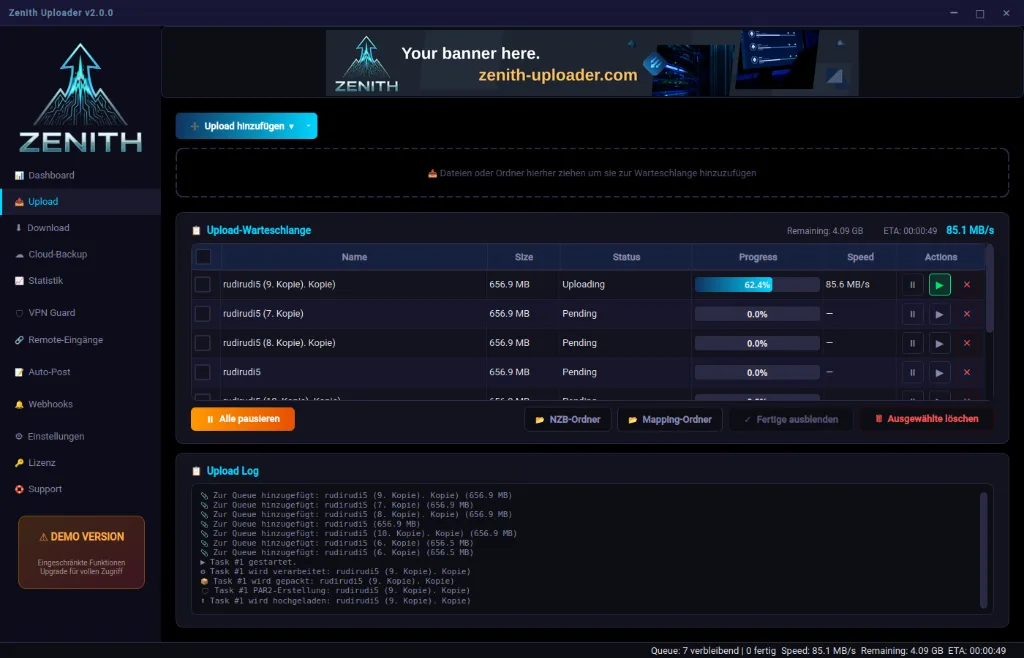
High-speed uploads with automatic compression (7-Zip), PAR2 creation and queue management. Drag & Drop or Watched Folders.

⬇️

Usenet Downloader

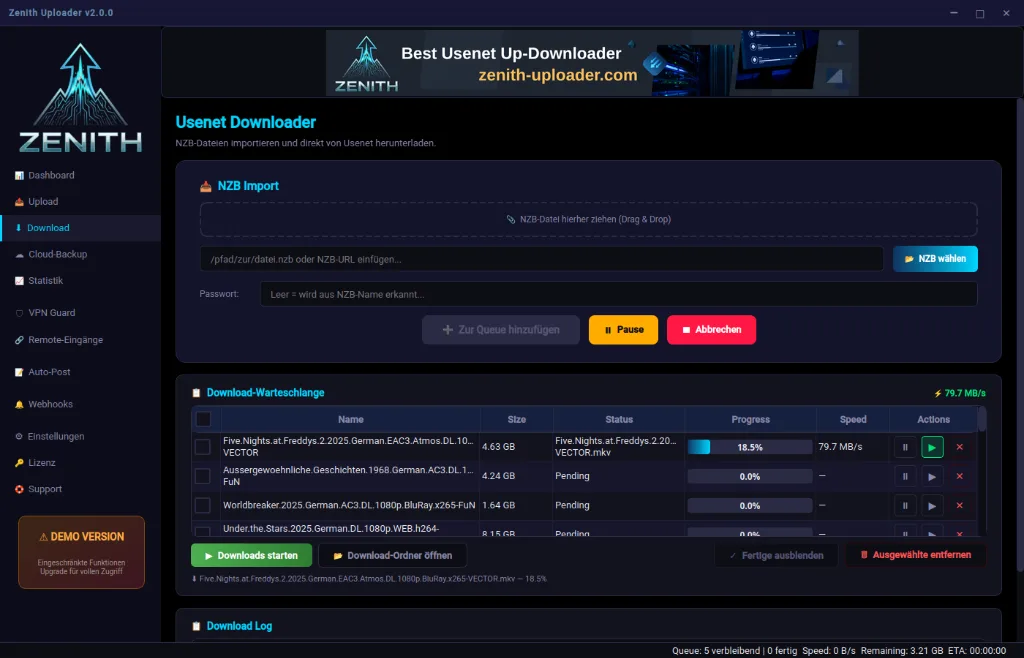
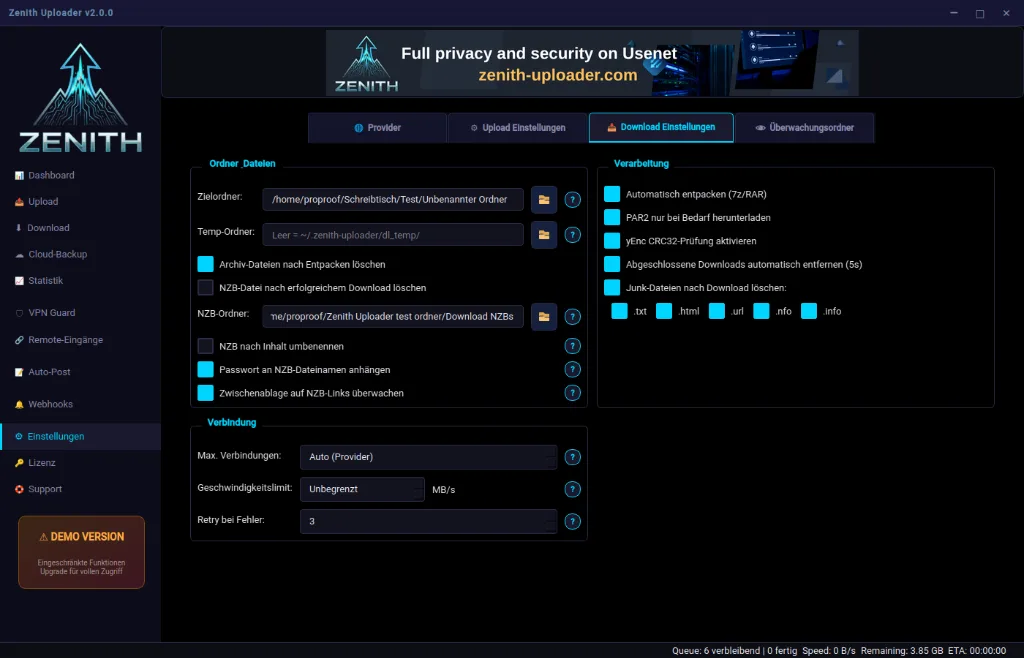
Import NZB files and download directly from Usenet. Drag & Drop, URL import and automatic password detection.

☁️

Cloud Backup

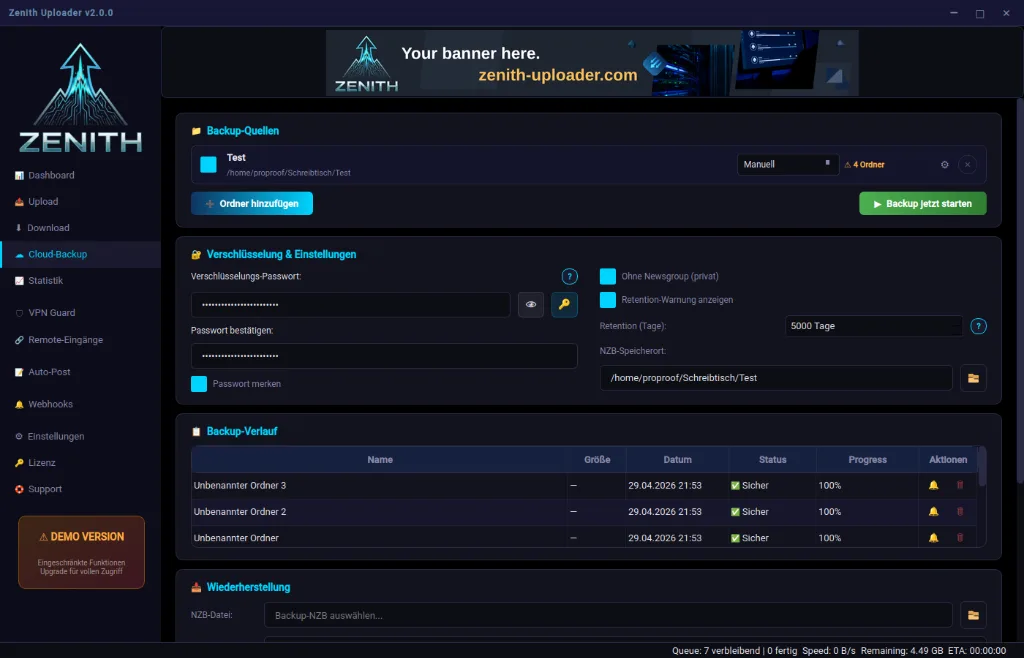
Secure your data encrypted in Usenet. Automatic backups with configurable sources, retention tracking and easy restoration.

🛡️

VPN Guard

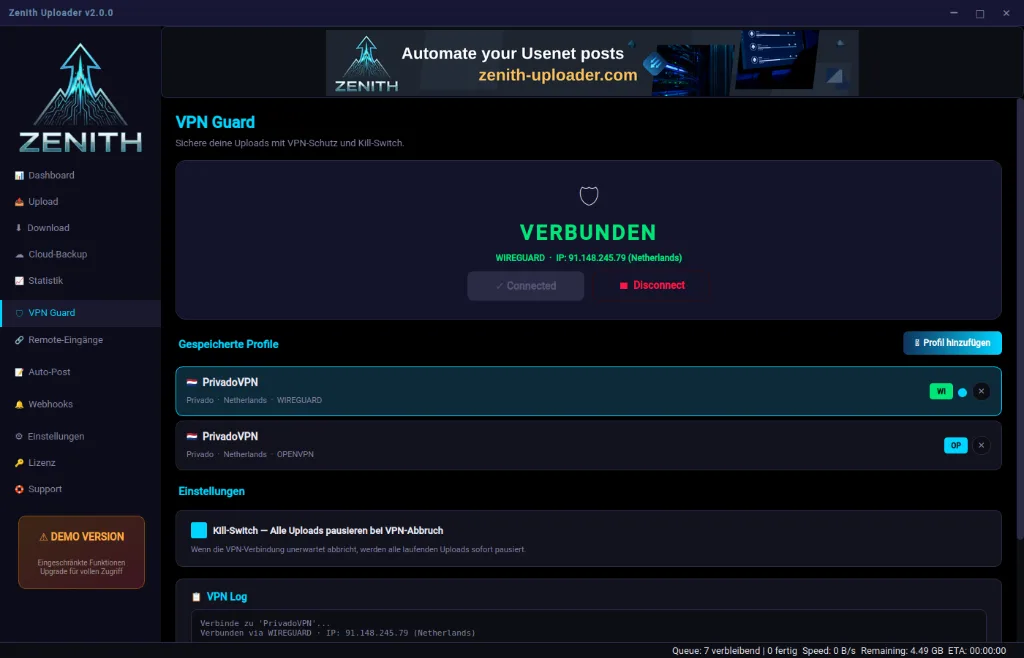
Built-in VPN protection with WireGuard & OpenVPN support. Kill switch automatically pauses all uploads on VPN disconnect.

📡

Auto-Post & Webhooks

Automatic forum posting after successful upload. Discord, email and custom webhook notifications.

📊

Dashboard & Statistics

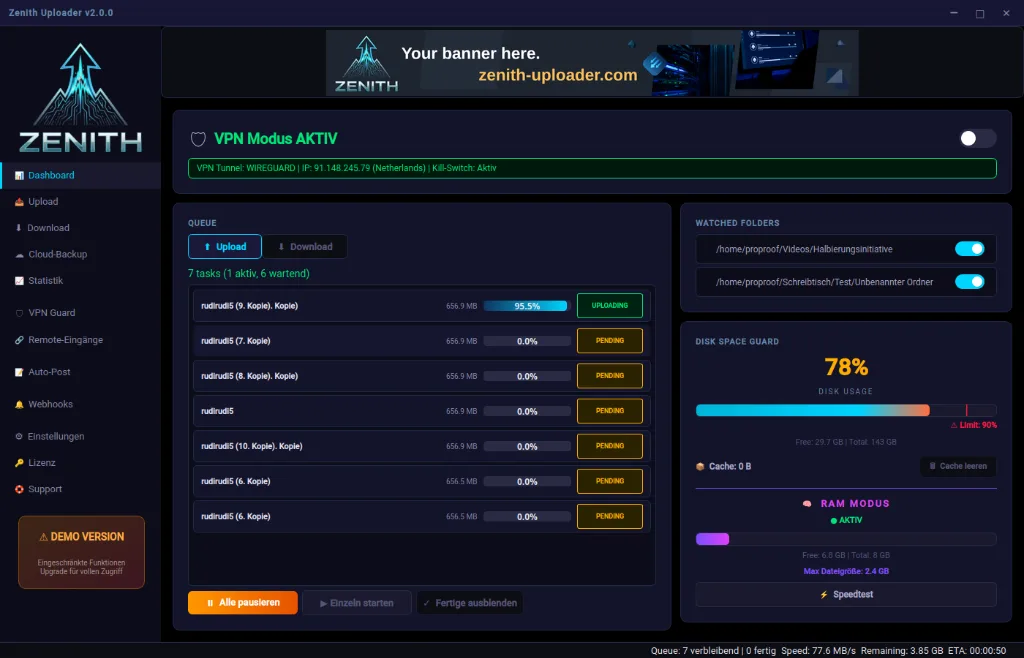
Real-time overview with upload queue, disk space guard, RAM mode, speed test and detailed upload statistics.

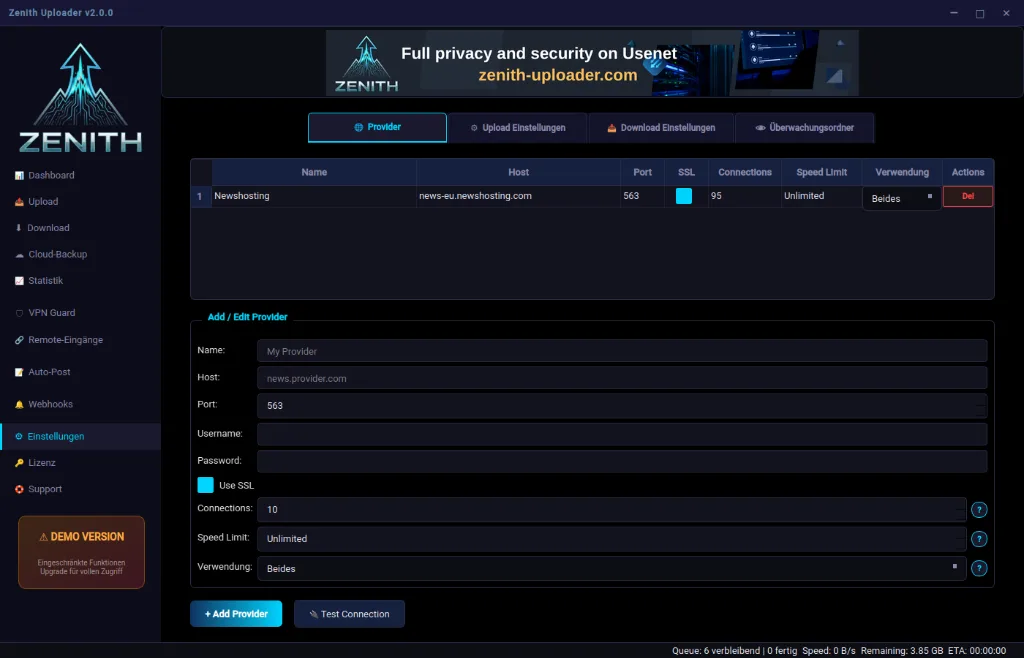
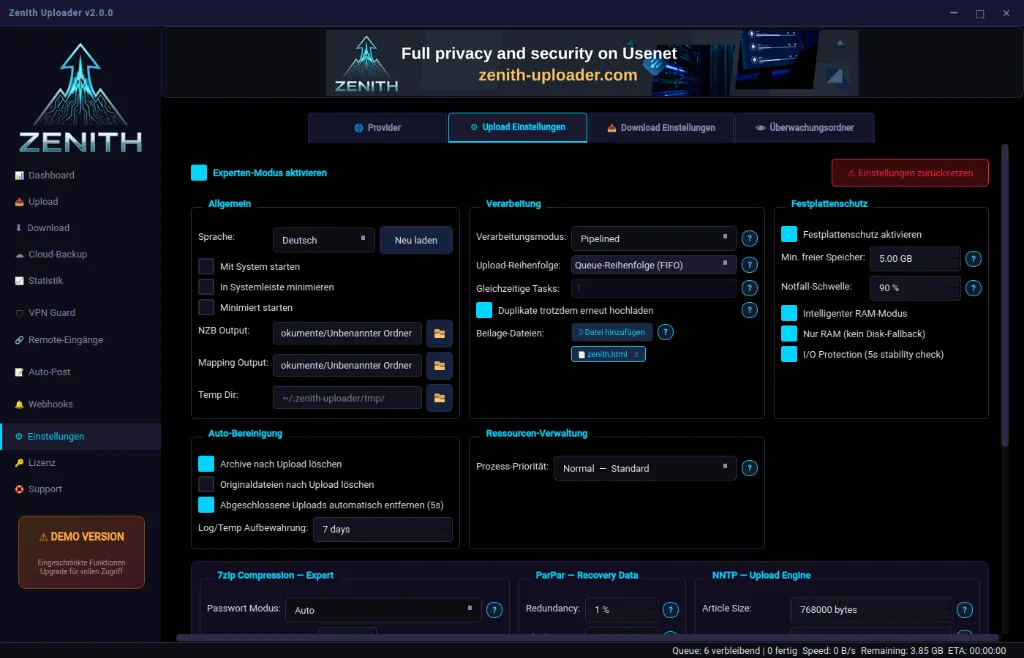
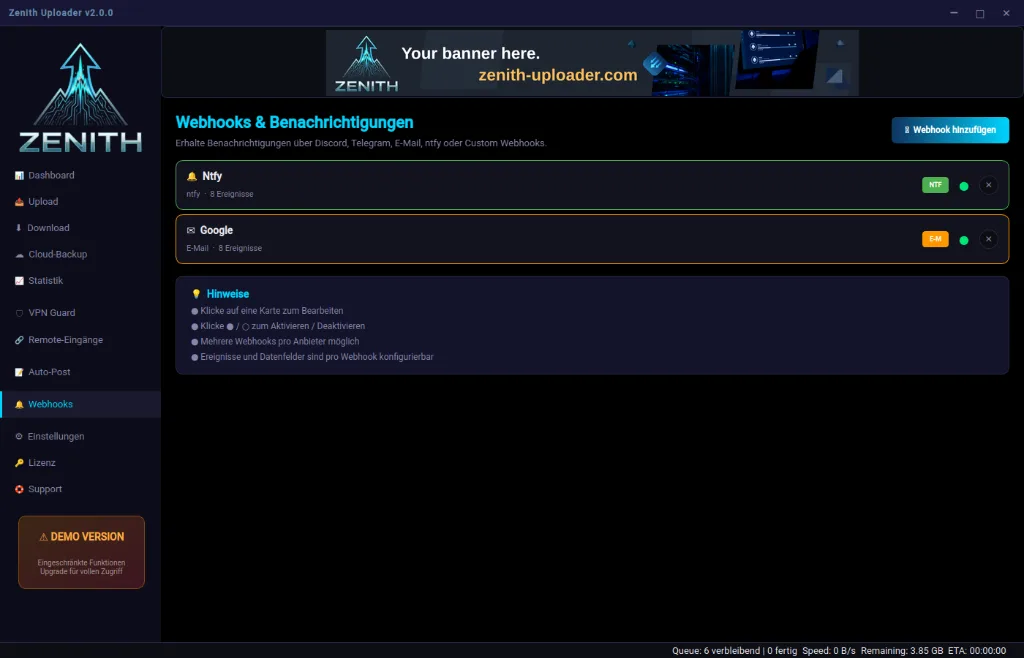
Screenshots

See Zenith in action — modern dark theme design with maximum clarity.
Demo vs. Full Version

Try Zenith for free or unlock all features.

Free

Demo

0 €

Unlimited trial

  • All features available
  • Upload & Download
  • VPN Guard & Kill Switch
  • Cloud Backup
  • Max. 1 GB per upload
  • Max. 10 uploads/day
  • Branding in uploads
  • Ad banner in app
Learn More

FAQ

Everything you need to know about Usenet and Zenith.

General — Usenet

Usenet is a worldwide, decentralized network originally created in 1979 as a discussion platform. Today it is mainly used for exchanging large files. Unlike torrents, Usenet is based on a client-server architecture: your data is stored on news servers and transferred via encrypted connections (SSL/TLS). This means high speeds that utilize your full bandwidth and maximum privacy.
A Usenet provider is a service that gives you access to Usenet news servers. You need an account with a provider to upload or download files. Well-known providers include Eweka, Newshosting, UsenetExpress or Frugal Usenet. Providers differ in speed, retention (how long files remain available), number of connections and price. Zenith supports all common NNTP providers.
Newsgroups are thematically organized areas in Usenet — comparable to forums or channels. Files are published (posted) in specific newsgroups. For binary uploads, groups like alt.binaries.boneless, alt.binaries.misc or alt.binaries.multimedia are typically used. Zenith configures the appropriate newsgroups automatically.alt.binaries.boneless, alt.binaries.misc oder alt.binaries.multimedia verwendet. Zenith konfiguriert die passenden Newsgroups automatisch.
An NZB file is an XML-based reference file that describes where the individual parts of an upload are located on the news servers. It works like a table of contents: instead of searching the entire Usenet, you simply load the NZB file into a downloader and it knows exactly which articles to download. After uploading with Zenith, you automatically receive an NZB file that you can share or archive.
Retention refers to the period during which files remain available on the news servers. Most major providers today offer retention of over 5,000 days (about 14 years). This means your uploaded files can be downloaded over this period. Zenith displays your provider's retention and warns you if needed.

Zenith Uploader

Zenith is an all-in-one desktop application for Usenet. It combines upload, download, cloud backup, VPN protection, automation and more in a single, modern interface. Instead of using multiple separate tools, Zenith gives you everything in one place. The app automatically handles packing (7-Zip), creating repair data (PAR2), uploading via NNTP and generating NZB files.
Zenith runs on Windows and Linux. All required binaries (7-Zip, ParPar, WireGuard, OpenVPN) are included for both platforms and verified for integrity (SHA-256 hash verification). The NNTP upload uses a custom-built engine. A macOS version is not currently planned.Windows und Linux. Alle benötigten Binaries (7-Zip, ParPar, WireGuard, OpenVPN) werden für beide Plattformen mitgeliefert und auf Integrität geprüft (SHA-256 Hash-Verifikation). Der NNTP-Upload erfolgt über eine eigens entwickelte Engine. Eine macOS-Version ist derzeit nicht geplant.
No. Zenith is designed so that even beginners can get started right away. Simply enter your provider details and you can upload files via drag & drop. Advanced users can configure settings in detail — compression, PAR2 redundancy, NNTP connections, newsgroups and much more.
The upload process runs in several automated steps: 1) Files are optionally compressed and encrypted with 7-Zip. 2) PAR2 repair files are created to compensate for data loss. 3) Data is uploaded encrypted to the news servers via Zenith's own NNTP engine. 4) An NZB file is automatically generated. Everything runs through a pipeline so multiple tasks can be processed simultaneously.1) Dateien werden optional mit 7-Zip komprimiert und verschlüsselt. 2) PAR2-Reparaturdateien werden erstellt, um Datenverlust auszugleichen. 3) Die Daten werden über Zeniths eigene NNTP-Engine verschlüsselt auf die Newsserver hochgeladen. 4) Eine NZB-Datei wird automatisch generiert. Alles läuft über eine Pipeline, sodass mehrere Tasks gleichzeitig verarbeitet werden können.
With Cloud Backup you can automatically back up folders to Usenet — encrypted with a password of your choice. You select source folders, set the mode (manual or automatic) and Zenith creates encrypted backups. To restore, simply import the NZB file. Data remains available for your provider's retention period — over 14 years with many providers.
VPN Guard is a built-in VPN manager with kill switch. It supports WireGuard and OpenVPN and connects you via saved profiles. The kill switch ensures that all running uploads are immediately paused if the VPN connection drops. This ensures your real IP address is never exposed during an upload.
Watched Folders are monitored directories on your system. As soon as a new file or folder appears, an upload task is automatically created and queued. This enables fully automatic uploads without manual intervention — ideal for automation workflows.
In RAM mode, temporary files (such as packed archives) are processed in memory instead of on the hard drive. This protects the SSD/HDD, increases speed and is particularly useful for many small uploads. The dashboard shows current RAM usage and the maximum file size that fits in RAM.
The Disk Space Guard continuously monitors available disk space. When a configurable limit is reached (default: 90% usage), all processing operations are automatically paused to prevent the disk from filling up. You can manage the limit and cache folder in the dashboard.

Remote Inputs & Automation

With Remote Inputs you can control uploads remotely. Zenith supports various sources: RSS feeds (automatic import of new entries), FTP/SFTP servers (fetch files from remote servers) and Newznab indexers (direct integration with Usenet indexers). This lets you build fully automatic workflows that run without manual intervention.RSS-Feeds (automatischer Import neuer Einträge), FTP/SFTP-Server (Dateien von entfernten Servern abrufen) und Newznab-Indexer (direkte Integration mit Usenet-Indexern). So kannst du vollautomatische Workflows aufbauen, die ohne manuelles Eingreifen laufen.
Zenith supports Discord webhooks, email notifications (SMTP) and custom HTTP webhooks. You can configure notifications for various events — e.g. when an upload is started, completed or failed. This keeps you informed even on the go.

Licensing

Zenith offers two tiers: Demo and Full Version. The demo is free and unlimited in time. It includes all features but is limited to 1 GB per upload and 10 uploads per day. Additionally, a branding note is inserted into uploads and an ad banner is shown in the app. The full version removes all restrictions.Demo und Vollversion. Die Demo ist kostenlos und zeitlich unbegrenzt nutzbar. Sie enthält alle Funktionen, ist aber auf maximal 1 GB pro Upload und 10 Uploads pro Tag begrenzt. Außerdem wird ein Branding-Hinweis in die Uploads eingefügt und ein Werbebanner in der App angezeigt. Die Vollversion hebt alle Beschränkungen auf.
The demo version includes the complete feature set of Zenith — upload, download, cloud backup, VPN Guard, watched folders, webhooks, statistics and more. The only restrictions are: maximum upload size of 1 GB per task, maximum 10 uploads per day, a branding header in your uploads and an ad banner in the app. This lets you test Zenith extensively before deciding on the full version.
The full version removes all limitations of the demo: unlimited upload size, unlimited uploads per day, no branding in uploads and no ads in the app. Additionally, you get priority support and access to all future updates during the license period.
Your license is bound to your computer's hardware ID (HWID). This ensures the license is only used on an authorized device. If you change your PC or hardware, you can reset the HWID through your account.
Yes! You can reset your hardware ID to activate Zenith on a new device. The number of resets is limited per license but is generously dimensioned for normal hardware changes.

Technical

Zenith uses AES-256 encryption via 7-Zip for your archives. The NNTP connection to your provider is additionally secured via SSL/TLS. For cloud backup, you set your own password with which your data is encrypted before upload — without this password, nobody can decrypt your backups.AES-256 Verschlüsselung über 7-Zip für deine Archive. Die NNTP-Verbindung zu deinem Provider ist zusätzlich über SSL/TLS gesichert. Beim Cloud-Backup setzt du ein eigenes Passwort, mit dem deine Daten vor dem Upload verschlüsselt werden — ohne dieses Passwort kann niemand deine Backups entschlüsseln.
PAR2 (Parity Archive Volume Set) are repair files calculated from your original data. If individual data packets are lost or damaged during transmission, they can be reconstructed using PAR2 files. Zenith automatically creates PAR2 files with configurable redundancy (typically 5-15%) using the fast ParPar tool.
Zenith supports any Usenet provider that uses the standard NNTP protocol — which is virtually all common providers. You can configure multiple providers simultaneously (e.g. a main provider and a fill server). Connection is via SSL/TLS with a configurable number of connections.
In pipelined mode, Zenith processes multiple tasks simultaneously: while one upload is running, the next task is already being packed and PAR2 files created. This maximizes throughput and reduces wait times. The Disk Space Guard ensures disk space doesn't run low.